
Bank Acounts
The Bank Accounts section allows users to view and manage the bank accounts associated with their GovPay account. Users can review existing bank account details, add a new bank account, and edit or deactivate an existing account.
To manage bank accounts, follow these steps:
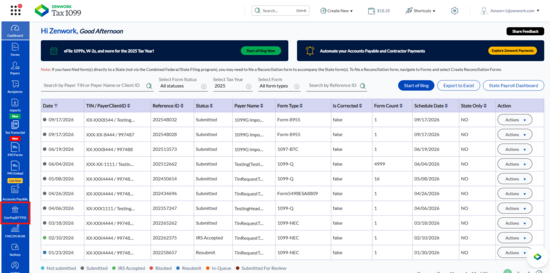
1. Navigate to the GovPay (EFTPS) interface from the Tax1099 left navigation menu.
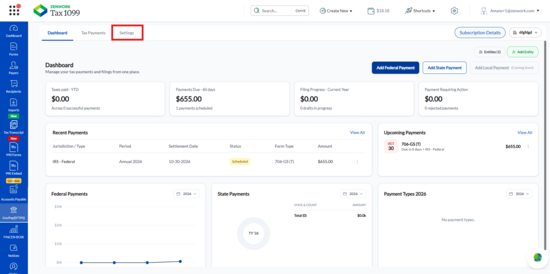
2. Click the Settings tab.
3. Select Bank Accounts from the left panel.
The Bank Accounts page appears.
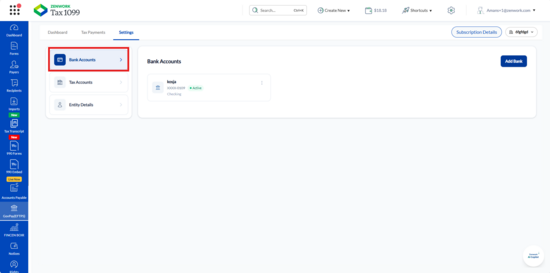
4. The page displays the available bank accounts with the following details:
o Account Name: Displays the name associated with the bank account.
o Account Number: Displays the masked bank account number.
o Account Type: Displays the bank account type, such as Checking.
o Status: Displays the current status of the bank account, such as Active.
5. Click Add Bank to initiate the process of adding a new bank account.
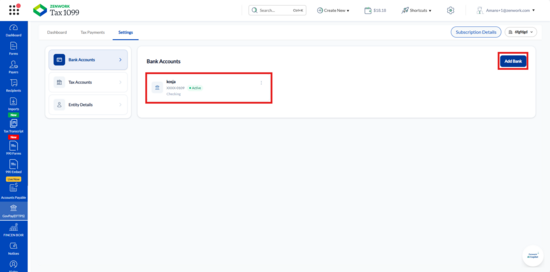
6. To manage an existing bank account, click the three-dot menu next to the required account.
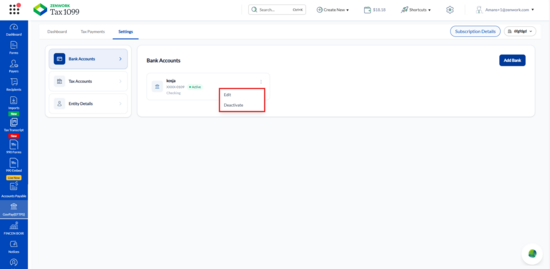
The following options appear:
o Edit: Select this option to modify the existing bank account information.
o Deactivate: Select this option to initiate deactivation of the selected bank account.